NeuronDump
Look inside any local LLM, find the parts it doesn't need, and make it smaller.
NeuronDump reads GGUF model files (the format used by Ollama and llama.cpp), shows what's inside them, and can write a smaller version that still runs.
What it does
| Command | You get |
|---|---|
list |
all models on your computer |
inspect |
architecture, layers, heads, sizes, warnings |
vocab |
the vocabulary, readable and sorted by kind (words, code, emoji, special…) |
template |
the chat template as a tree of decisions |
stats |
statistics of the weights, strength of each head and neuron |
analyze |
a list of parts that could be removed, with size and risk |
slim |
a new, smaller GGUF file and an Ollama Modelfile |
trace |
what each layer "thinks" while the model answers |
graph, node |
the model as a graph: open any layer down to its heads and neurons, inspect every part |
ablate |
what happens if you cut a part: the direct impact instantly, then a simulated run |
sweep |
every layer or head cut in turn, ranked by damage, and turned into a prune plan |
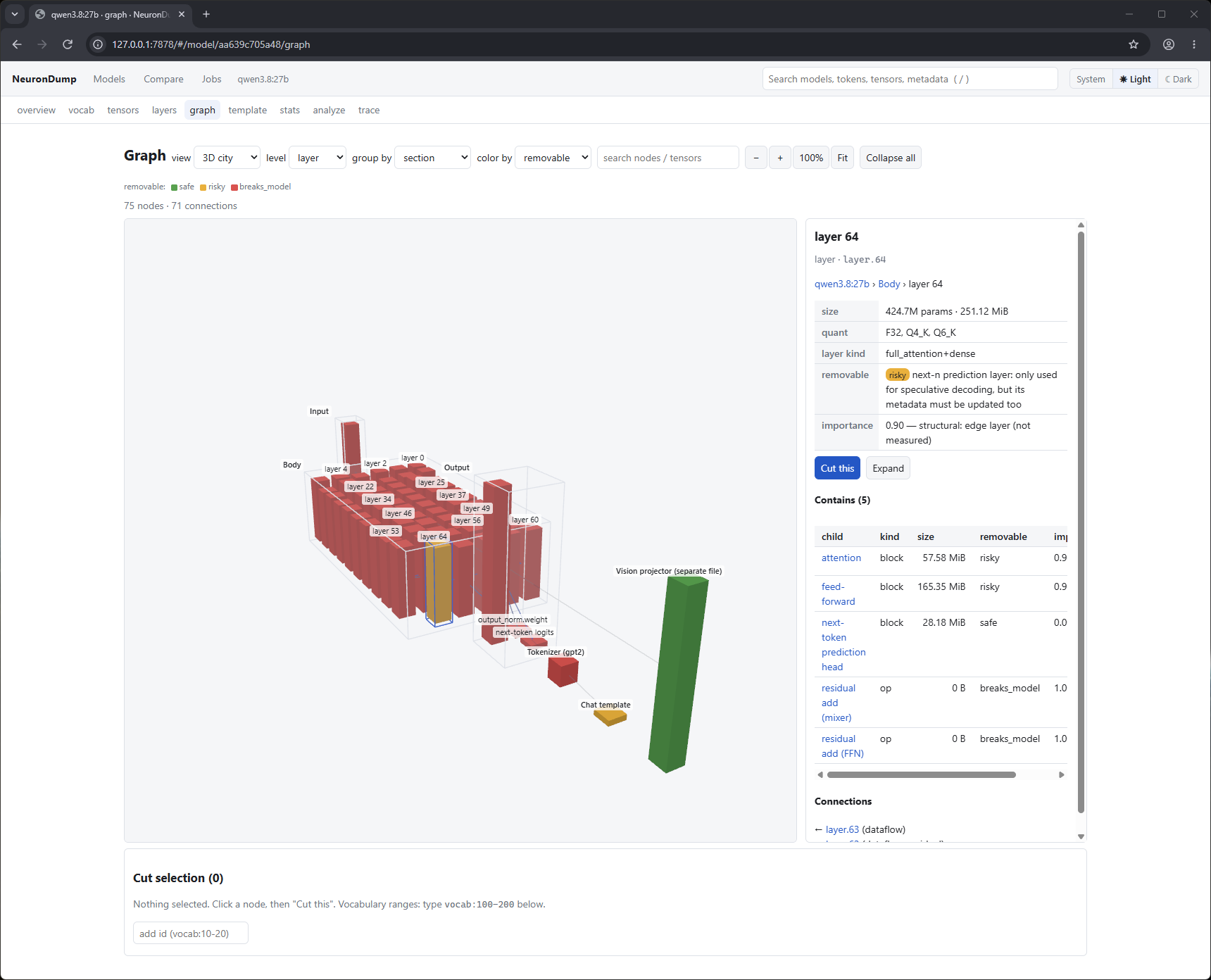
In the web interface the graph tab shows all of this in 3D (tower, city, force) or 2D. Search inside the model, cut parts, and watch the impact update as you go. See Graph and ablation.
Everything is available from the command line and from a local web page. Every result can
be written as JSON with a schema_version; the JSON Schemas are in
schemas/.
Install
Ready-made Windows and Linux builds are on the releases page (download steps).
To build from source you need Git and Rust 1.88+. Full steps: install guide.
Add --features trace to be able to run models.
Try it
neurondump list
neurondump inspect llama3.2:1b
neurondump analyze llama3.2:1b --corpus my-texts.txt --out plan.json
neurondump slim llama3.2:1b --plan plan.json --only vocab --out small.gguf
neurondump web --open
Example
$ neurondump inspect llama3.2:1b
Architecture llama  [decoder]  1.24B params, quantization Q8_0
Layers: 16
  full_attention+dense                  16 layers  0-15
  embeddings are tied (no output.weight)
Tokenizer    gpt2 (pre: llama-bpe), 128256 tokens, 280147 merges
  specials   bos=128000 <|begin_of_text|>  eos=128009 <|eot_id|>
Next: how it works, step by step, or what's inside real models for Qwen3 8B compared with DeepSeek-R1, and Qwen 3.8.
Citing
If you use NeuronDump in academic work, please cite the repository:
@software{neurondump,
  author  = {Aymen},
  title   = {NeuronDump: inspecting, analyzing and slimming GGUF language models},
  year    = {2026},
  version = {0.1.2},
  url     = {https://github.com/aymen94/NeuronDump},
  license = {MIT}
}
License
Licensed under the MIT License.