Web interface
It prints a link like:
Open that link. The token is new at every start, and the page doesn't work without it.
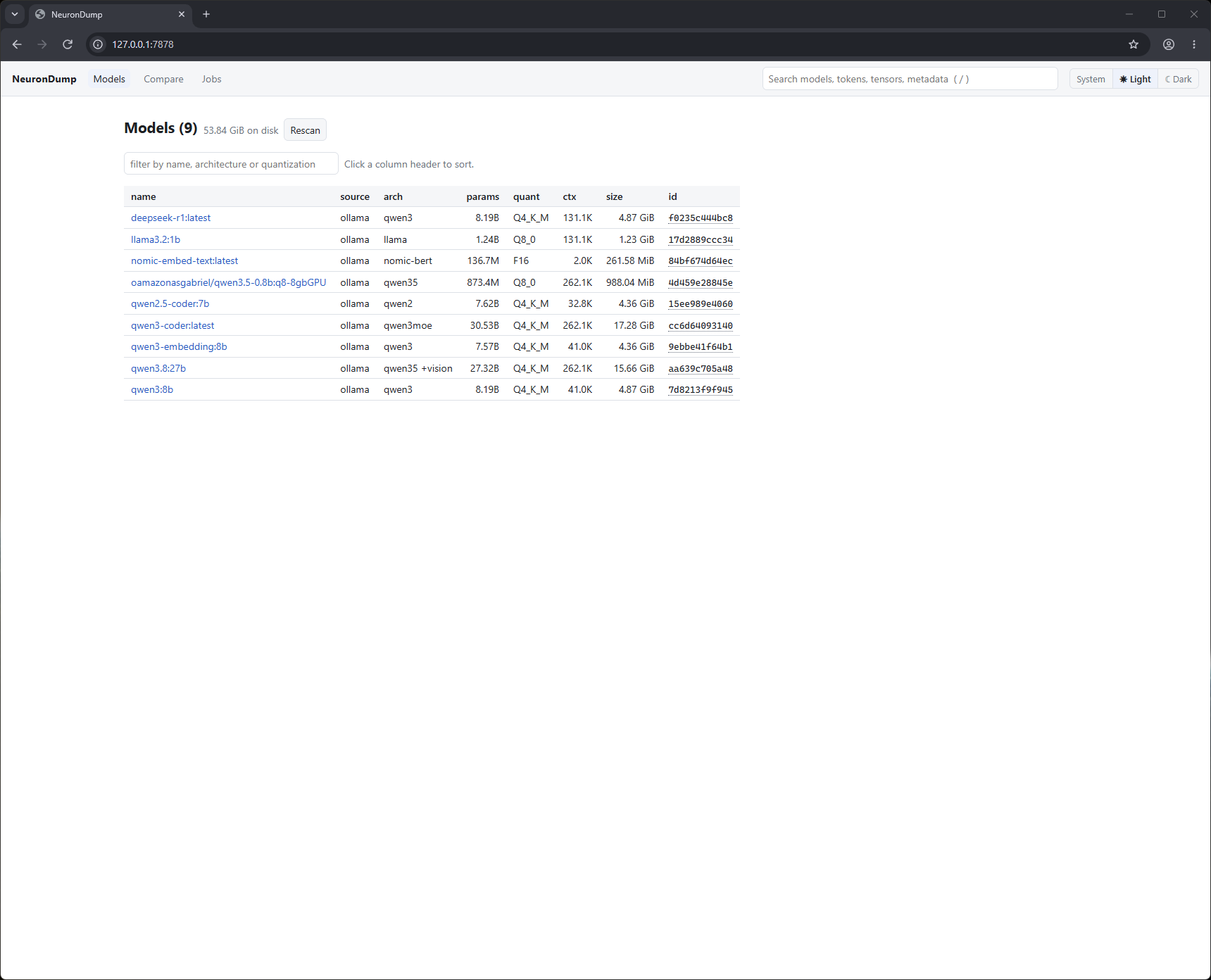
Pages
| Page | What you see |
|---|---|
| Models | every local model, total disk size, filter box, sortable columns; Rescan button |
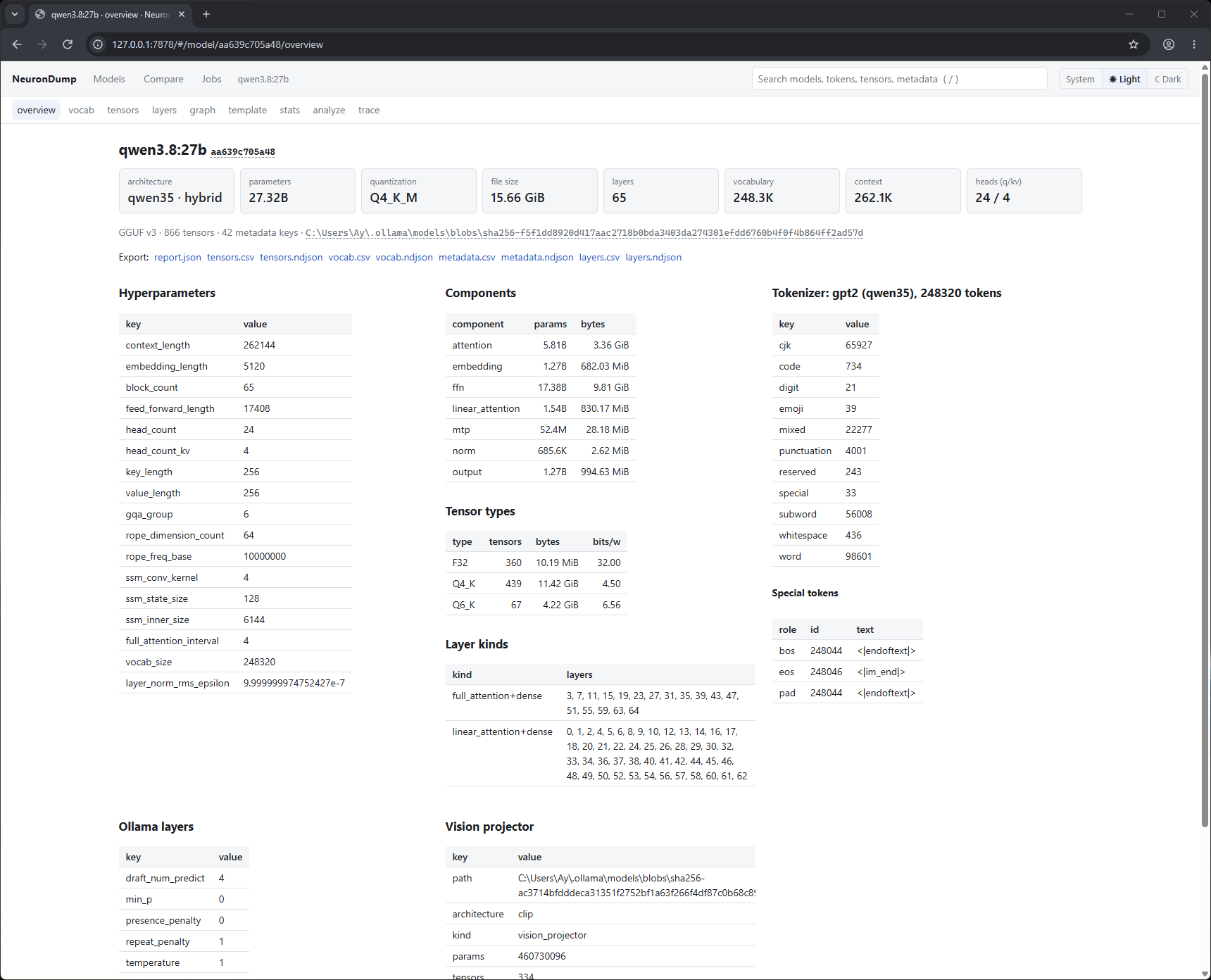
| Overview | summary cards, architecture, sizes, tokenizer, special tokens, Ollama settings, warnings, searchable metadata, export links |
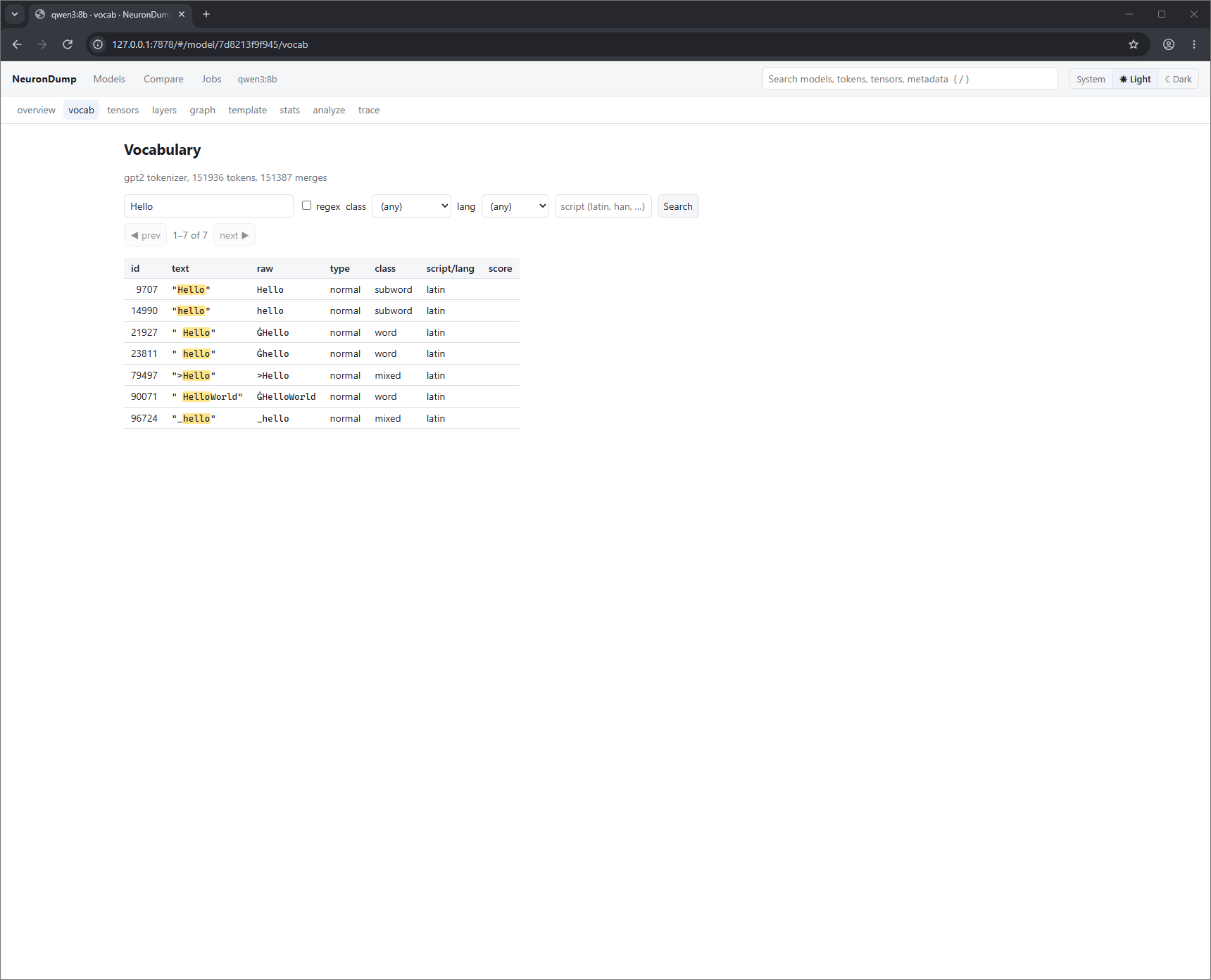
| vocab | search the vocabulary, filter by class / language, page through 100k+ tokens |
| tensors | filter and sort tensors; click one to see its statistics |
| layers | a colored map of the layers (attention, linear, MoE); click a layer for its tensors |
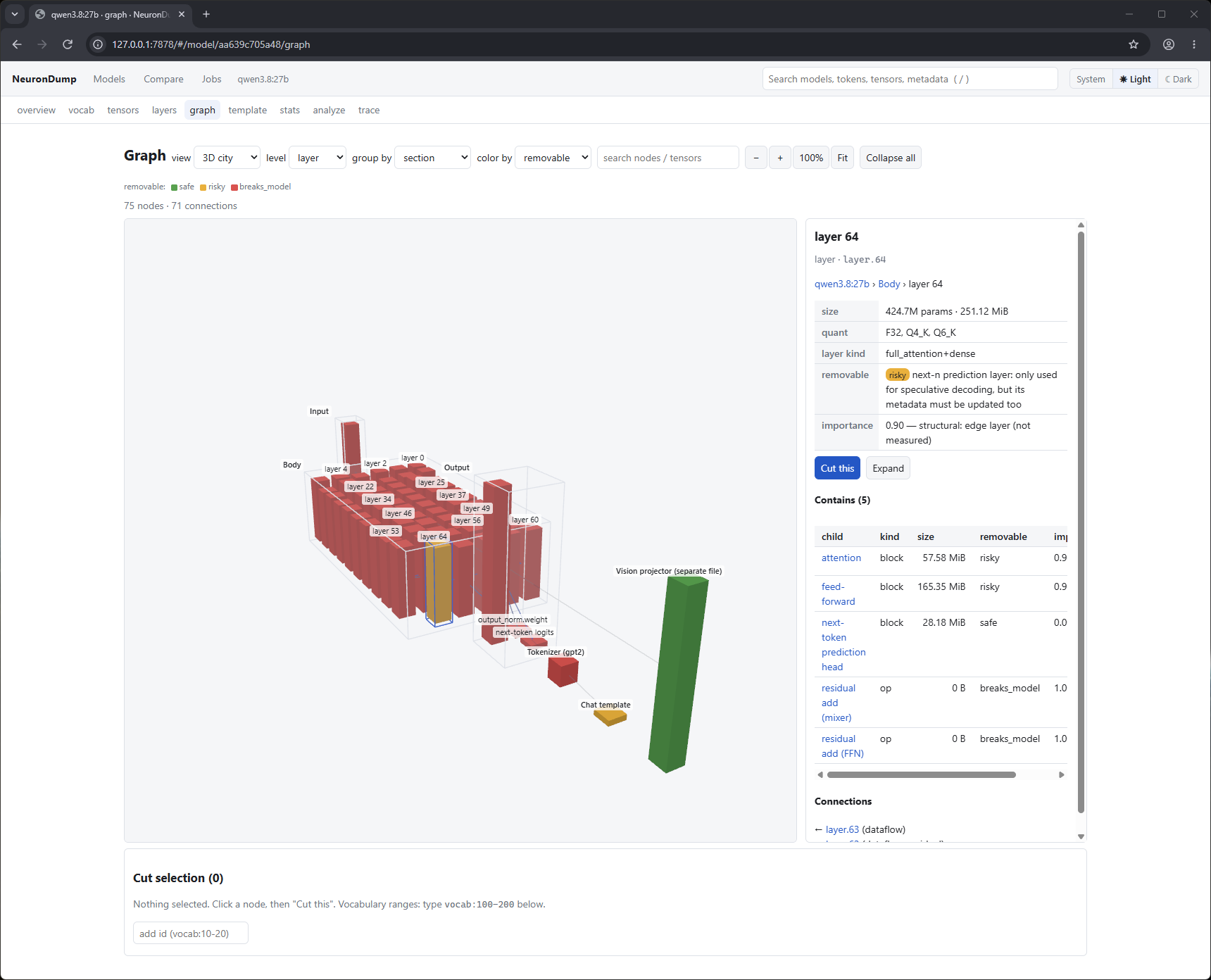
| graph | the model as an interactive 3D (tower, city, force) or 2D graph: open layers down to heads, inspect, search, cut, see the direct impact, simulate, sweep, see what they contain, cut them, simulate, sweep, save a plan (see Graph and ablation) |
| template | the chat template as a collapsible tree |
| stats | statistics and histogram for one tensor, or the whole model as a job |
| analyze | run an analysis, tick the candidates you want, press Slim |
| trace | run a prompt and see each layer's prediction |
| Compare | tick two or more models |
| Jobs | running and finished jobs, live progress, cancel |
Screenshots
Overview of qwen3.8:27b: summary cards, hyperparameters, components, tensor types, layer kinds, tokenizer, Ollama settings and the vision projector.
vocab: searching qwen3:8b's 151,936 tokens for "Hello", with matches highlighted.
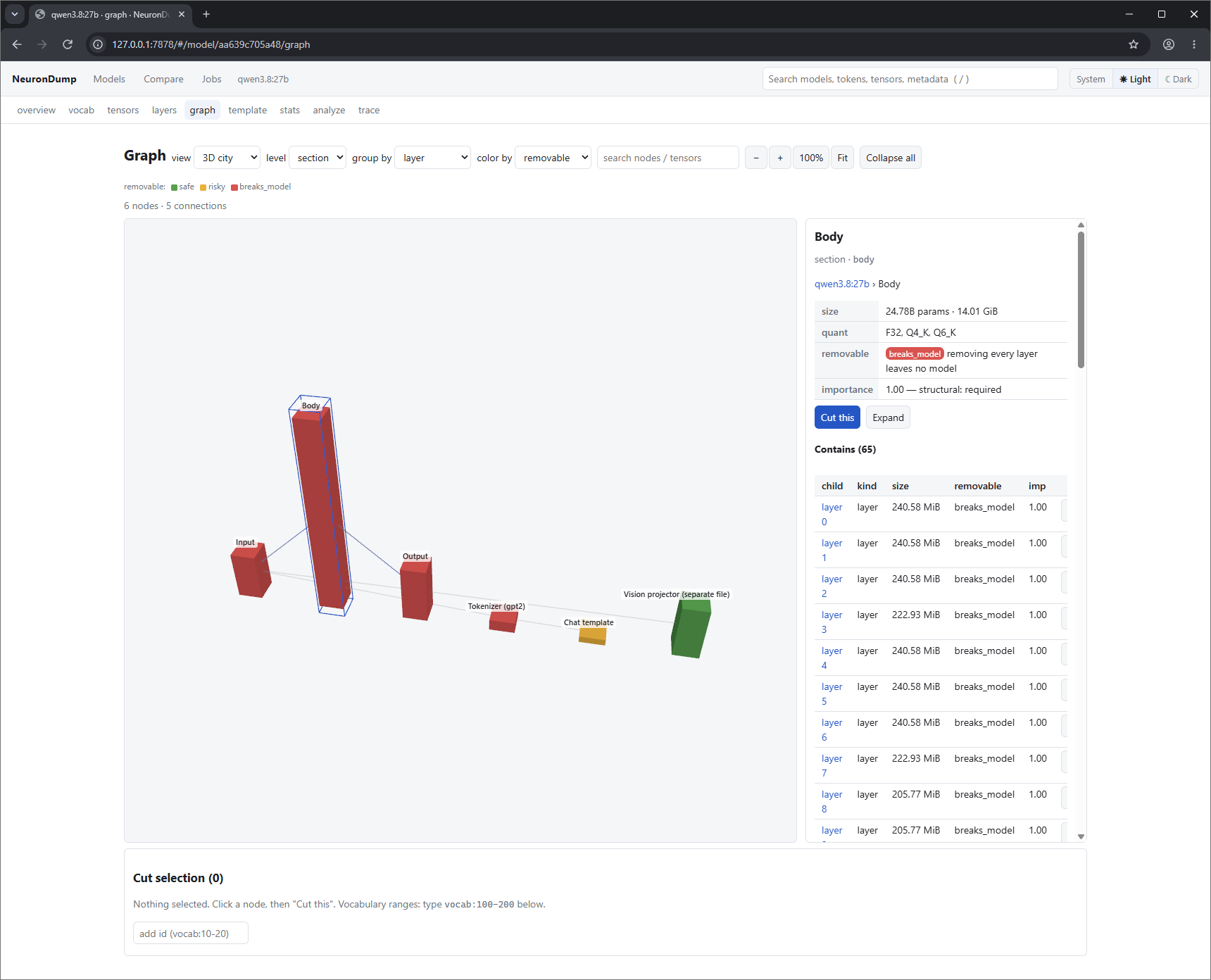
graph: qwen3.8:27b in the 3D city view. Layer 64 (the next-token prediction layer) is selected,
and the side panel shows what it contains and that removing it is risky.
The same model at section level, grouped by layer. The Body section holds 65 layers; the vision
projector (green, safe) is a separate file.
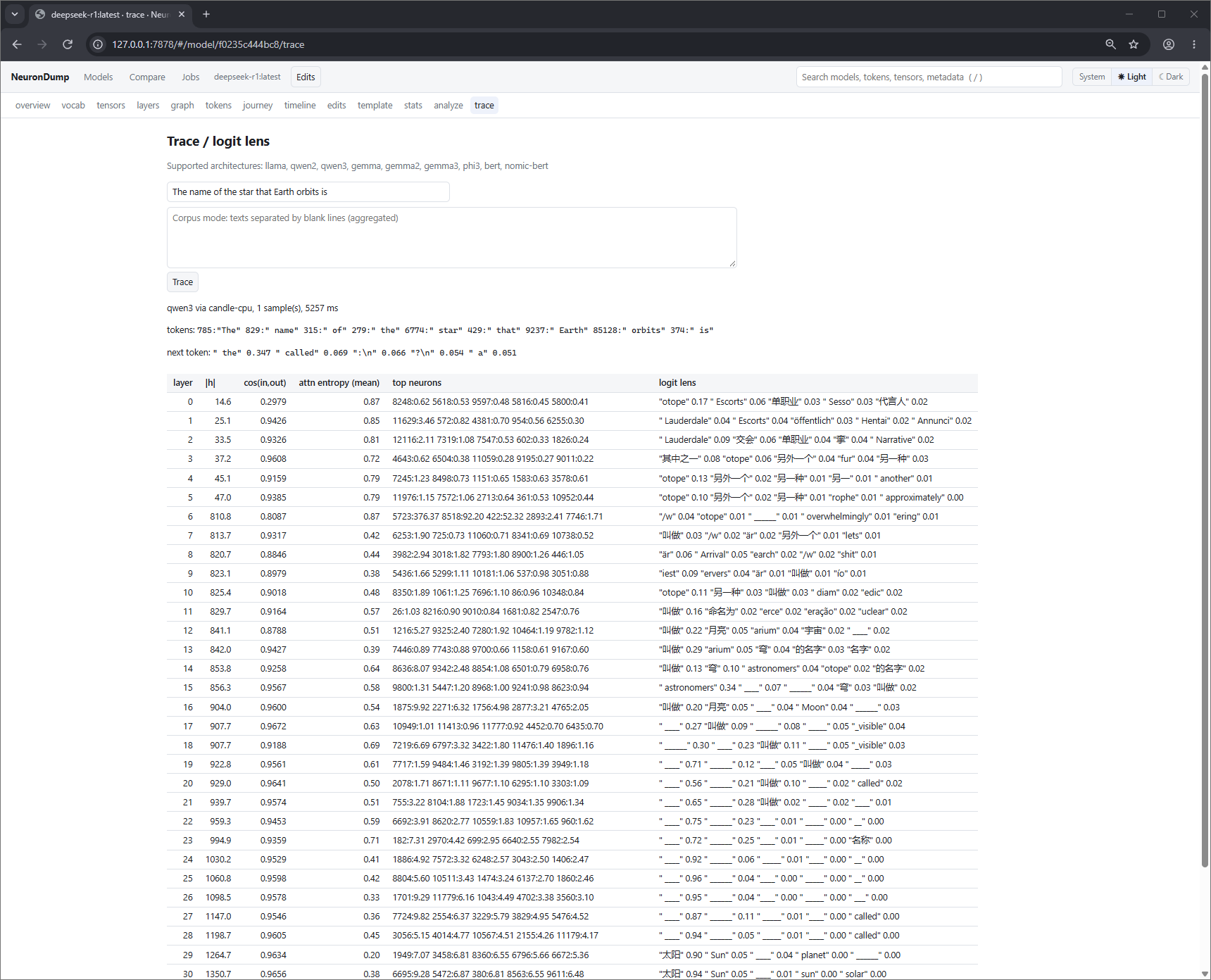
trace: qwen3:8b on "The capital of Italy is". The last column is the logit lens: what the model would answer if it stopped at that layer. The final prediction is " Rome" 0.825.
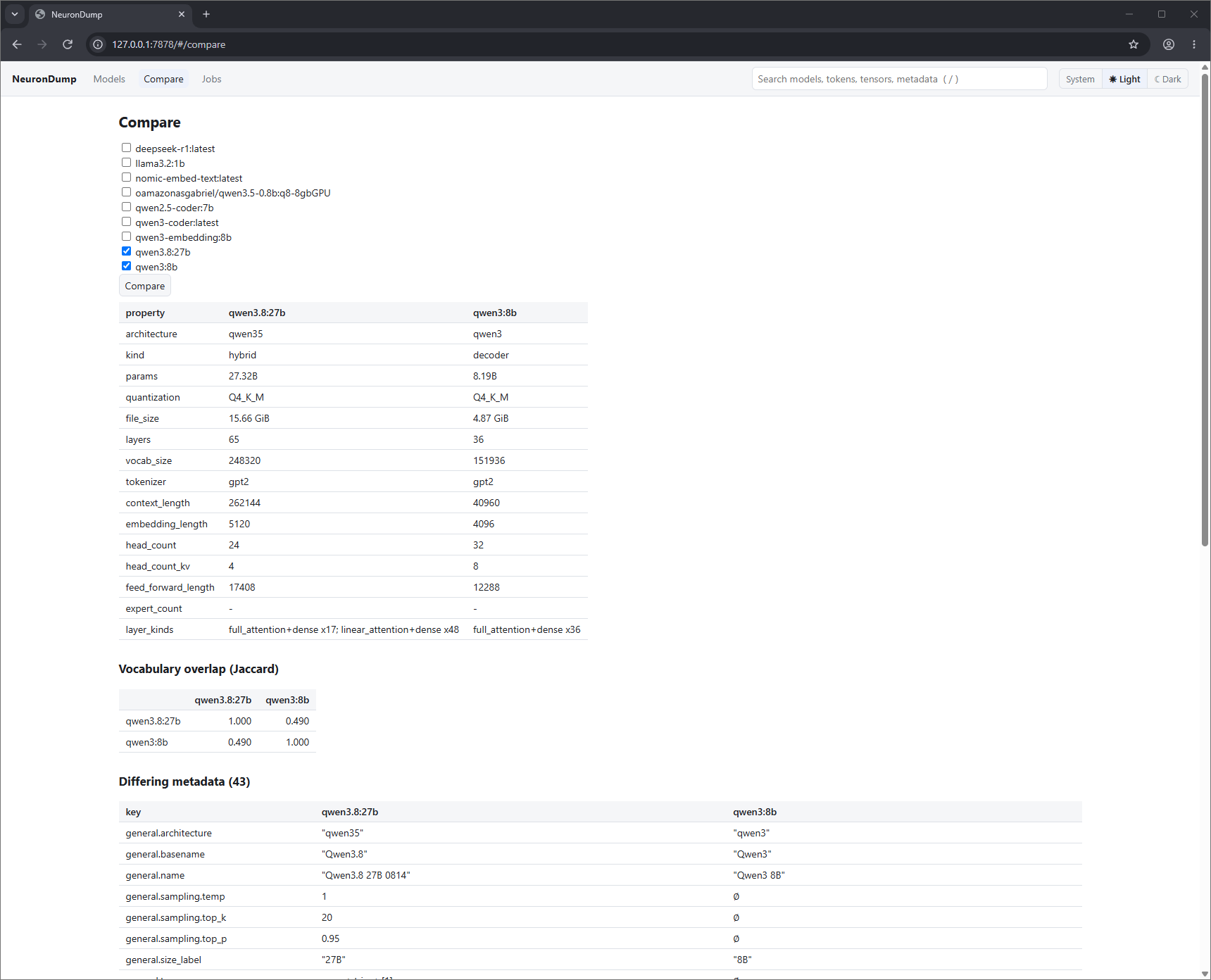
Compare: qwen3.8:27b next to qwen3:8b, with their vocabulary overlap and the metadata that differs.
Long work (stats, analyze, slim, trace, ablate, sweep) runs as a job in the background, so the page stays usable. A number next to Jobs in the header shows how many are running.
Search and shortcuts
- The search box in the header finds models by name, architecture or quantization. When a model is open, it also searches that model's tokens, tensors and metadata keys. Results link straight to the right page (token → vocab, tensor → its stats, key → metadata). On the results page, the "in" menu switches which model is searched.
- Press / anywhere to jump to the search box, and Esc to leave it.
- Click a column header to sort a table. Click an id, name or path in
codestyle to copy it. - The System / Light / Dark switch in the header sets the theme. System (the default) follows your operating system, even when it changes.
Safety
- It listens on
127.0.0.1only (your own computer).--host 0.0.0.0makes it reachable from your network and prints a warning. Avoid that on shared networks. - Every API call needs the session token.
- Models are referred to by id, never by file path. Slimmed files can only be written to the
output folder (
~/neurondump/slim/).
HTTP API
Send the token in the x-neurondump-token header. For links and live updates, which can't
set headers, use ?token= instead.
| Method | Path | |
|---|---|---|
| GET | /api/info |
version, trace support |
| GET | /api/models |
model list |
| POST | /api/models/rescan |
look for models again |
| GET | /api/models/{id} |
overview |
| GET | /api/models/{id}/metadata?full= |
metadata keys |
| GET | /api/models/{id}/vocab?q=®ex=&class=&script=&lang=&offset=&limit= |
vocabulary search |
| GET | /api/models/{id}/tensors?layer=&role=&q=&sort=&offset=&limit= |
tensors |
| GET | /api/models/{id}/layers |
layers |
| GET | /api/models/{id}/template |
template trees |
| GET | /api/models/{id}/tensors/{name}/stats |
statistics of one tensor |
| GET | /api/models/{id}/graph?level=&group_by=&expand= |
the graph; expand (comma-separated ids) loads heads / neurons / experts on demand |
| GET | /api/models/{id}/nodes/{node_id} |
one node: contents, stats, connections |
| POST | /api/models/{id}/impact |
static impact: {"cut":["layer.7"],"force":false} |
| POST | /api/models/{id}/plan-from-ablation |
prune plan from {"cut":[…]} or {"sweep_job":"<id>","top":2} |
| POST | /api/jobs |
start a job: {"kind":"stats","model":"<id>","params":{}} → 202 {"id":…} |
| GET | /api/jobs |
all jobs |
| GET | /api/jobs/{id} |
one job |
| DELETE | /api/jobs/{id} |
cancel |
| GET | /api/jobs/{id}/events |
live progress (Server-Sent Events) |
| GET | /api/jobs/{id}/result |
result (409 while running) |
| GET | /api/search?q=&model=&limit= |
search models (and tokens, tensors, metadata of model) |
| GET | /api/compare?models=a,b |
comparison |
| GET | /api/export/{id}?format=json\|csv\|ndjson&table= |
download |
Job kinds: inspect, stats, analyze, slim, trace, ablate, sweep. The web API doesn't accept file
paths, so pass corpus text as corpus_text for analyze and as corpus (a list) for trace, ablate and sweep.